Free YouTube Video Downloader
Save most public YouTube videos to your device by pasting the link below. ClipSaves finds the best-quality MP4 with sound and gets it ready to download.
Whether it's a long-form upload, a tutorial, or a video you want to watch offline later, the process takes seconds and works the same way on a phone, tablet, or desktop browser.
Recent Downloads
No recent downloads yet
How it works
- 1
Copy the video link
Open the video on YouTube (app or browser), tap Share, and copy the link. Regular videos, Shorts and youtu.be links all work.
- 2
Paste it into ClipSaves
Paste the link into the box on this page and press Fetch. ClipSaves finds the video and shows a preview.
- 3
Download the MP4
ClipSaves picks the best-quality MP4 with sound for you. Press Download to save it to your device.
Download YouTube Videos as MP4
Paste a YouTube link into the box above and press Fetch. ClipSaves looks at every version YouTube stores for that video and picks the highest-resolution MP4 that still has its sound, so you don't have to compare formats yourself. One press of Download saves it.
Regular videos, Shorts, youtu.be short links, mobile links (m.youtube.com), embed links and replays of finished live streams all work. If the link came from a playlist, ClipSaves downloads the one video it points to, not the whole list.
What Quality Will I Get?
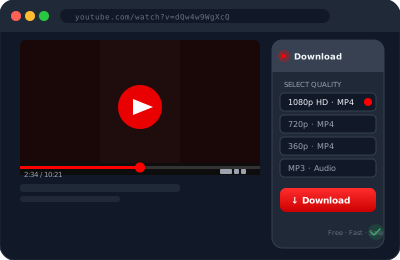
The file is the best MP4 with audio that YouTube makes available for that upload. The resolution depends on what the creator uploaded: older uploads, or videos posted in low resolution, come back at whatever resolution YouTube stored.
There's no quality menu: ClipSaves always chooses the best combined video-and-audio file for you. If you need a smaller file, for example to email it or drop it into a slideshow, compress it afterwards with any video tool or our free video editor.
Works on iPhone, Android, Mac and Windows
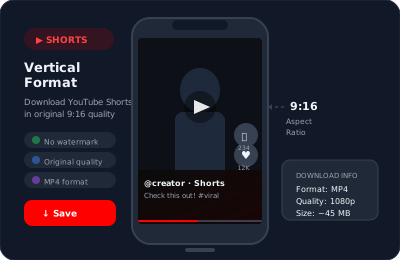
Everything runs in your browser: Safari on iPhone and iPad, Chrome or Samsung Internet on Android, and any browser on a Mac or PC. There's no app to install and no account to create.
On iPhone, the video lands in the Files app under Downloads. Open it and tap Share, then Save Video, to move it into Photos. On Android it goes to your Downloads folder, and most gallery apps pick it up automatically. On a computer, look in your Downloads folder.
Thumbnails and Subtitles
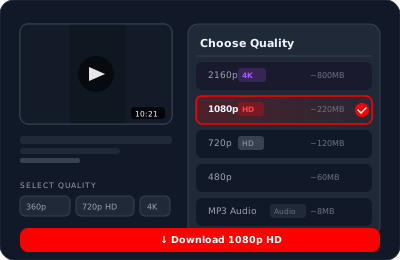
Need the image rather than the video? The YouTube Thumbnail Downloader saves a video's thumbnail in every size up to 1280×720. For the words, the YouTube Subtitle Downloader saves a video's caption tracks as SRT or VTT files.
What Isn't Supported
ClipSaves can't download private videos, age-restricted videos, members-only videos, some region-blocked videos, or live streams that are still in progress (replays work once the stream ends). It saves one video per link, so whole playlists aren't supported, and there's no MP3 option for YouTube.
After a few fetches in a row, ClipSaves shows a quick math check to confirm you're a person. Answer it and carry on; there's no daily limit and no sign-up.
Use Downloads Responsibly
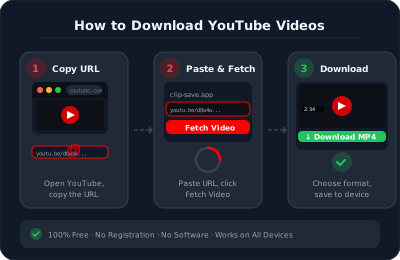
Download your own videos, Creative Commons videos, or videos you have permission to use. Re-uploading or redistributing someone else's video without permission can break copyright law and YouTube's terms. If you only need to show a video, embedding or sharing the link is often the better choice. Our copyright page explains how ClipSaves handles rights-holder requests.
YouTube Downloader — Frequently Asked Questions
What video quality can I download in?
ClipSaves picks the highest-quality MP4 with sound that YouTube has for that upload, so you don't have to choose. Older or low-resolution uploads come back at the resolution YouTube stored.
Can I download a YouTube playlist?
ClipSaves downloads one video at a time using its individual link. If you paste a link from inside a playlist, you get that one video; paste each video's link to save the others.
Is downloading YouTube videos allowed?
Saving your own videos, Creative Commons videos, or videos you have permission to use is fine. Redistributing or re-uploading someone else's content without permission can violate copyright and YouTube's Terms of Service.
Can I download YouTube Shorts?
Yes. Paste the Shorts link (youtube.com/shorts/…) on this page or on the YouTube Shorts Downloader and it downloads as a vertical MP4.
Can I download only the audio as MP3?
Not from YouTube at the moment. The YouTube downloader saves video as MP4. For audio from SoundCloud, use the SoundCloud downloader, which saves MP3.
Do I need to create an account?
No. ClipSaves works without sign-up. Paste a public YouTube link and download.
What if my video does not download?
The video may be private, age-restricted, members-only, or blocked in some countries. Check that it plays in a private browser window without signing in, then try again. Live streams can only be downloaded after they end.
Learn More
Explore our blog for guides, tips, and tutorials.
- YouTube to MP3: Is It Legal and How Does It Work
- Best Free Video Downloaders 2026: YouTube, TikTok, Instagram & More
- How to Download a YouTube Thumbnail in HD (All Sizes)
- How to Put a YouTube Video in PowerPoint or Google Slides
- How to Get the Transcript of a YouTube Video
Every YouTube downloader
Need one specific format? Each of these is tuned for a single kind of YouTube post.
Guides for the Free YouTube Video Downloader
Download from other platforms
Same fast, free downloader. No sign-up needed.
- Instagram (Free Instagram Video Downloader)
- TikTok (Free TikTok Video Downloader)
- Twitter (Free Twitter Video Downloader)
- Facebook (Free Facebook Video Downloader)
- Dailymotion (Free Dailymotion Video Downloader)
- Vimeo (Free Vimeo Video Downloader)
- LinkedIn (Free LinkedIn Video Downloader)
- Telegram (Free Telegram Video Downloader)
- SoundCloud (Free SoundCloud Downloader)