Vimeo
MP4 · HD
Free Vimeo Video Downloader
Download Vimeo Videos in HD
Paste a Vimeo page or player URL. We resolve the video so you can download in the best available quality.
Recent Downloads
No recent downloads yet
Vimeo Video Downloader for Creators and Viewers
Vimeo is where a lot of careful work lives: short films, client showreels, conference talks, course material and documentation. Many of those uploads have the creator's download button switched off, which is the right default for rights-managed work — and the reason people look for a Vimeo downloader when they need an offline copy of something they are entitled to keep.
ClipSave resolves public Vimeo videos in the browser. Paste a vimeo.com/VIDEO_ID address or a player.vimeo.com embed URL, press Fetch, and download the file. Nothing installs, and no ClipSave account is required.
Vimeo hosts a great deal of professional, rights-managed material. Download what you own, what you have been given permission to keep, or what the creator has clearly released — and nothing else.
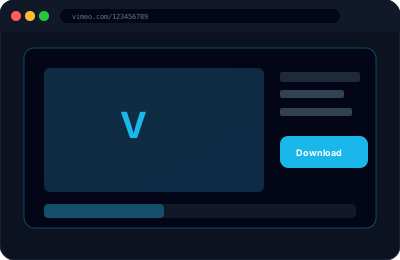
How to Download a Vimeo Video
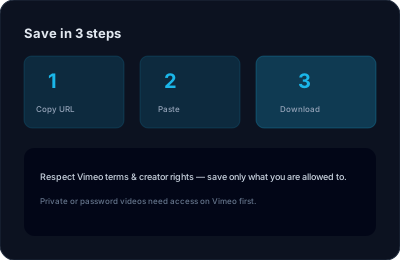
Step 1 — Copy the URL. From the video page, copy the address bar: https://vimeo.com/123456789. From an embedded player elsewhere on the web, right-click the player and copy the video address, which gives you a player.vimeo.com/video/ID link.
Step 2 — Paste it above and press Fetch. ClipSave asks Vimeo for the renditions available for that ID.
Step 3 — Pick a quality if more than one appears, then Download. Larger numbers mean a sharper picture and a bigger file.
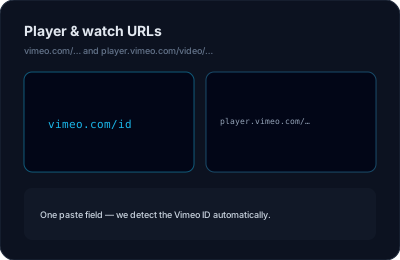
Supported Vimeo URL Shapes
Plain video pages (vimeo.com/123456789), channel and showcase URLs that carry the numeric ID, and embed player links (player.vimeo.com/video/123456789) all resolve.
Unlisted videos with a privacy hash — the vimeo.com/123456789/abcdef shape — work when you have the full link, because the hash is what grants access.
Password-protected videos, Vimeo On Demand purchases, videos restricted to a domain, and anything behind a team login cannot be fetched. Those require credentials or a purchase that ClipSave neither has nor asks for.
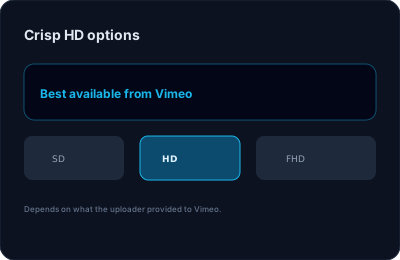
Quality, Format and Playback
Vimeo encodes each upload into several renditions. When it exposes more than one, ClipSave lists them so you can choose: a 360p copy for a quick reference, or the full HD file when picture quality matters.
Output is MP4 in almost every case, which opens in QuickTime, VLC, Windows Media Player and the photo gallery on both iPhone and Android, and imports cleanly into Premiere Pro, Final Cut, DaVinci Resolve and CapCut.
Files are not re-encoded on our side, so what you download is the quality Vimeo stored, not a second-generation copy.
When a Vimeo Download Fails
Most failures come down to access. The video may be private, password-protected, available only to a team, or removed since the link was shared. Some creators also restrict embedding and playback to their own domain, which blocks resolution from anywhere else.
Open the link in a private browser window first. If it plays there without logging in, ClipSave should be able to fetch it; if Vimeo asks you for a password or an account, it cannot.
ClipSave is free to use and requires no sign-up. It is an independent tool, not affiliated with Vimeo, and you remain responsible for respecting each uploader's licence.
Vimeo Downloader — Frequently Asked Questions
- How do I download a Vimeo video?
- Paste a standard vimeo.com/VIDEO_ID link or a player.vimeo.com embed URL, click Fetch, then Download when options appear. Only download content you have the right to save.
- Why won’t some Vimeo videos download?
- Creators can restrict downloads or require purchase. Private, password-protected, or rights-managed videos may not be available.
- What quality can I get?
- We show the qualities Vimeo exposes for that video — HD and other options when offered.
- Is an MP4 always available?
- Most public videos surface as MP4 for broad compatibility; availability depends on the source.
- Do I need a Vimeo account on ClipSave?
- No ClipSave account is required. You still must comply with Vimeo’s terms and the uploader’s license.
- Is ClipSave free to use?
- Yes for typical browser-based downloads — no paywall on our side for basic use.
- Does ClipSave respect privacy?
- Your link is processed to resolve the video; we do not use your downloads for advertising profiling.
Learn More
Explore our blog for guides, tips, and tutorials.
View all blog posts →More free tools
Subtitles, thumbnails, short links and quick edits. Free, in the browser, no sign-up.
Video downloaders
Same fast, free downloader. No sign-up, no watermark.
- YouTube (Free YouTube Video Downloader)
- Instagram (Free Instagram Video Downloader)
- TikTok (Free TikTok Video Downloader)
- Twitter (Free Twitter Video Downloader)
- Facebook (Free Facebook Video Downloader)
- Dailymotion (Free Dailymotion Video Downloader)
- LinkedIn (Free LinkedIn Video Downloader)
- Telegram (Free Telegram Video Downloader)
- SoundCloud (Free SoundCloud Downloader)