Free Facebook Video Downloader
Download Facebook Video
Download Facebook videos in MP4 format and choose the quality that suits you
Recent Downloads
No recent downloads yet
How to Download Facebook Videos and Reels Easily
Downloading Facebook videos and Reels has never been easier than with ClipSave. Just copy the URL of the video you want to download, paste it into the input field on ClipSave, and click the download button. You'll be redirected to a page where you can select your preferred quality. In just a few clicks, your video will be ready for offline viewing or any other purpose. Enjoy the convenience of accessing your favorite videos anytime, anywhere, with no limits.
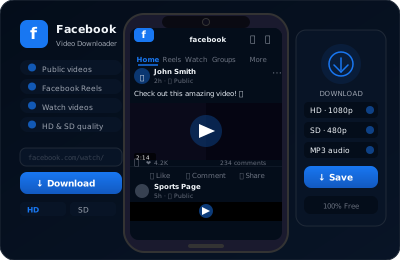
Why Choose ClipSave for Facebook Video Downloads?
ClipSave is a free, reliable Facebook video downloader for public videos, Reels, and Facebook Watch. Paste a link and get MP4 downloads in SD/HD/FHD—no sign-up and no software required.
Only public posts can be fetched from a link. Videos in private groups, on private profiles, or shared with Friends only are not reachable by any third-party downloader, including this one — Facebook serves those files only to accounts that are logged in and permitted to see them.
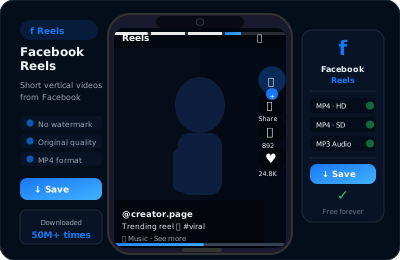
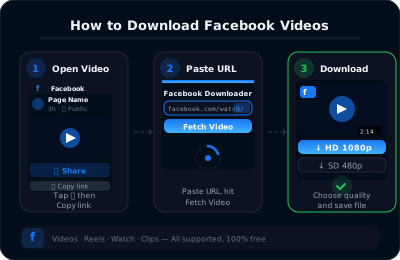
How to Download Facebook Videos & Reels (Fast & Free)
Step 1: Copy the Facebook link Open the video or Reel on Facebook and tap Copy link (or copy the URL from your browser's address bar, including Facebook Watch and public groups).
Step 2: Paste the link into ClipSave Paste the URL into the field above and press Download. We'll fetch the available MP4 qualities automatically.
Step 3: Choose quality and save Select SD, HD, or FHD and download the MP4 to your phone or computer. If the fetch fails, the post is almost certainly not public — see the section below.
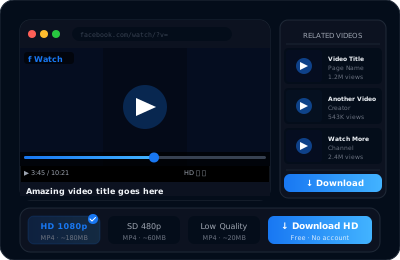
Features of Downloading Facebook Videos with ClipSave
User-friendly interface for quick video downloads. Download high-quality videos in different resolutions. Supports downloading Facebook Reels videos. Designed for fast download speeds. No registration needed to download videos. Works on all devices and operating systems. Always free to use with absolutely no costs. Available in multiple languages for users worldwide.
What this tool cannot download, and what to do instead
Private and group-only videos. Facebook checks who is logged in before it serves the file, so a downloader that only receives a link has nothing to fetch. No third-party tool can get around that, and any tool claiming otherwise is either asking for your password or simply not working.
Your own videos. Use Facebook's own export instead: Settings & privacy, then Settings, then "Your information" and "Download your information", and choose Posts. It gives you the original uploads rather than a re-encoded copy.
Someone else's private video. Ask the person who posted it to send you the file, or to make the post public. That takes one message and it keeps you on the right side of both Facebook's terms and copyright.
Live videos that are still broadcasting. Wait until the stream ends and Facebook has saved the replay, then copy the replay's link.
Photos and carousels. Those are handled by the Facebook photo downloader, not this page.
Facebook Downloader — Frequently Asked Questions
- How do I download Facebook videos using ClipSave?
- To download Facebook videos with ClipSave, copy the video URL from Facebook's address bar, paste it into the ClipSave field, and click "Download." Within seconds, MP4 download links will appear. Choose your preferred quality—SD, HD, or FHD—and click the link to save the video to your device for instant offline viewing.
- Can I download Facebook Reels with ClipSave?
- Yes. Simply copy the Reel URL from the Facebook Reels section, paste it into the ClipSave input box, and hit "Download." You'll receive MP4 links in various resolutions—select one to save the Reel directly to your phone, tablet, or PC for seamless offline sharing.
- Can I download live streaming videos with ClipSave?
- You can download Facebook live streams only after the broadcast has ended. Once the live video is complete, follow the same steps as you would for any Facebook video: paste the finished stream URL into ClipSave, click "Download," and choose your desired quality to save the file.
- Are there any download limits on ClipSave?
- No. ClipSave is free to use with no sign-up required
- Can I download private or group-only videos using ClipSave?
- ClipSave supports only public Facebook videos and Reels. Private profiles, private group videos, and content behind Facebook's privacy settings cannot be downloaded. To access private content, ask the uploader to share a public link.
- Why should I use ClipSave for downloading Facebook content?
- ClipSave combines a clean, intuitive interface with powerful download capabilities. Enjoy MP4 downloads with no daily limit, multiple quality options, and full mobile optimization—all without installing software. Our secure, ad-supported service ensures fast, reliable access to your favorite Facebook videos and Reels.
- Can I use ClipSave on mobile devices?
- Absolutely. ClipSave is fully responsive on iOS and Android browsers. Copy any Facebook video or Reel URL on your mobile device, paste it into our site, tap "Download," and select quality to save directly to your gallery or Files app for offline playback.
- How do I download Facebook videos to my PC using ClipSave?
- To download on a PC, open your web browser, navigate to ClipSave, paste the Facebook video URL into the input box, and click "Download." Choose between SD, HD, or FHD, then click the link to save the MP4 file to your downloads folder.
- How do I download Facebook videos to my Android phone?
- Open the Facebook app on Android, copy the video URL, then switch to your browser and visit ClipSave. Paste the URL, tap "Download," select your preferred quality, and the video will save to your device's downloads folder or gallery.
- How do I download Facebook videos to my iOS device?
- On iOS, copy the Facebook video URL in Safari or the Facebook app, open ClipSave in your browser, and paste the link. Tap "Download," choose the video resolution, and save the MP4 directly to the Files app or Photos for easy access.
- How does ClipSave help users with limited internet access?
- ClipSave lets you save Facebook videos and Reels in advance when you have a stable connection. Save MP4 files in SD or HD to enjoy offline later—perfect for users on limited data plans or with intermittent connectivity.
- Can I share downloaded videos from ClipSave with others?
- Yes. After downloading any Facebook video or Reel MP4, you can share it via messaging apps, email, or social media. ClipSave ensures your files are compatible with all major devices and platforms.
- Does ClipSave support downloading from Facebook Watch?
- Yes. To download videos from Facebook Watch, copy the Watch video URL, paste it into ClipSave, and click "Download." Select quality and save the MP4 file for offline viewing.
- Is ClipSave free to use?
- ClipSave is entirely free. We fund our service through unobtrusive ads, but there are no subscription fees or download charges—ever.
- What video formats and qualities does ClipSave support?
- All downloads are provided in MP4 format, ensuring compatibility with smartphones, tablets, and desktop media players. Choose from SD, HD, or Full HD (FHD) to match your storage space and quality needs.
- Do I need to install any software to use ClipSave?
- No installation is required. ClipSave is a web-based tool that works in any modern browser. Just paste your Facebook URL and start downloading instantly—no extra apps or plugins.
- How can I report an issue or give feedback?
- If you experience any issues or have feedback, please report them via our Contact form—include a clear description, reproduction steps, and relevant screenshots or links, and we'll respond within 24 hours as we continually improve the service.
- Are there ads on ClipSave?
- To keep ClipSave free, we display non-intrusive ads that don't affect your download experience. Your ad support allows us to maintain and enhance our service without charging users.
Learn More
Explore our blog for guides, tips, and tutorials.
View all blog posts →Changelog
- Preparing an update that improves video detection and fixes existing bugs on both the extension and the website.
- Will be released in the coming days.
- Version 1.4.0 of our browser extension is now live for Chrome, Firefox, Edge, and any Chromium-based browser.
- The Edge add-on is now available on Microsoft Edge.
- Performance improvements, bug fixes, and new languages.
- Website UI update and user experience improvements.
- Introduced load balancing across multiple servers to improve responsiveness during peak demand.
- UI/UX fixes: cleaned up layouts, refined button states, and polished error messages.
- Version 1.3.0 of our browser extension is now live for Chrome, Firefox, and Edge.
- General bug fixes and an improved Facebook video download experience.
- Fixed an issue that prevented the extension from retrieving video download links.
- Fixed an issue that prevented the download button from appearing on some videos.
- Version 1.2.2 extension fully released on all supported browsers.
- Improved functionality and overall stability.
- Resolved an issue that was preventing our website from downloading public Facebook videos.
- Browser extension updated to version 1.2.1 for Chrome, Firefox, and Edge.
- Added support for multiple languages in our browser extension.
- Improved browser extension's performance to use fewer resources.
Every Facebook downloader
Need one specific format? Each of these is tuned for a single kind of Facebook post.
Download from other platforms
Same fast, free downloader. No sign-up, no watermark.
- YouTube (Free YouTube Video Downloader)
- Instagram (Free Instagram Video Downloader)
- TikTok (Free TikTok Video Downloader)
- Twitter (Free Twitter Video Downloader)
- Dailymotion (Free Dailymotion Video Downloader)
- Vimeo (Free Vimeo Video Downloader)
- LinkedIn (Free LinkedIn Video Downloader)
- Telegram (Free Telegram Video Downloader)
- SoundCloud (Free SoundCloud Downloader)