Free Twitter Video Downloader
Paste the link to a public post that contains a video, and ClipSaves pulls the video file for you to download directly. No need to log in to X or install anything.
This works for videos and GIFs uploaded directly to a post, saved at the highest bitrate X makes available.
Recent Downloads
No recent downloads yet
How it works
- 1
Copy the post link
Tap the Share icon on the post containing the video or GIF and choose Copy link. twitter.com and x.com links both work.
- 2
Paste it into ClipSaves
Paste the link into the Twitter (X) Video Downloader or the GIF Downloader and press Fetch.
- 3
Download the file
ClipSaves takes the highest-quality version of the video or GIF and gives you a direct MP4 download.
Save Videos From X (Twitter) Posts
X only lets paying subscribers download videos, and only when the uploader allows it. ClipSaves works for everyone: copy the post link, paste it into the box above, press Fetch, and save the MP4 when it is ready. There is nothing to install and no X login to share.
X stores each video at several bitrates for different connections. ClipSaves picks the highest bitrate available for that post, so you get the same picture X shows on a fast connection, as a standard MP4 that plays on phones, computers and TVs.
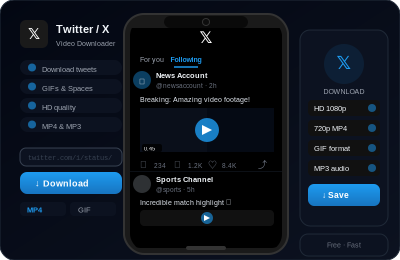
Which Links Work
ClipSaves accepts post links from both x.com and twitter.com. A post link contains /status/ followed by a long number, for example x.com/username/status/1234567890.
Videos in replies work the same way as videos in original posts: copy the link to the reply itself. GIFs on X are really short silent videos, so they download as MP4 files too. If you mainly save GIFs, the Twitter GIF downloader explains how to turn them back into animated images.
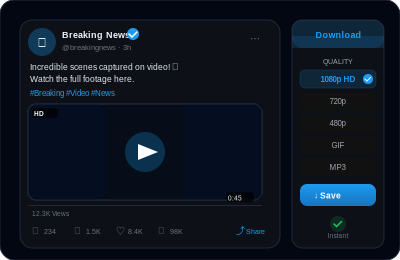
Where the File Goes on Your Phone
On iPhone and iPad, Safari saves the MP4 to the Files app under Downloads. To move it into Photos, open the file, tap Share, then Save Video.
On Android, the file goes to your Downloads folder, and most gallery apps pick it up automatically. On a Mac or PC, look in your browser's Downloads folder.
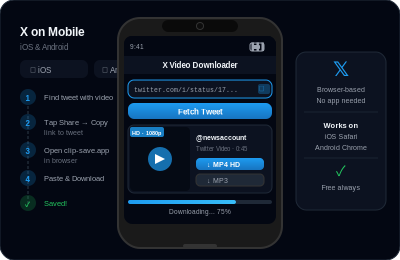
What Isn't Supported
ClipSaves can't fetch posts from protected (private) accounts, audio from Spaces, videos embedded from outside players (such as a YouTube link inside a post), or posts that have been deleted. X only shows protected posts to approved followers, and embedded players aren't X video files.
If a fetch fails, open the link in a private browser window. If you can't watch the video there without signing in, ClipSaves can't reach it either.
Use Downloads Responsibly
Only download videos you own or have permission to use. Credit the creator when you share their work, and respect X's terms of service. If you just want to show someone a post, sharing the link is often the better choice. Our copyright page explains how ClipSaves handles rights-holder requests.
Twitter Downloader — Frequently Asked Questions
Does this work with both twitter.com and x.com links?
Yes. ClipSaves accepts post links from either domain, since they point to the same platform.
Can I download a video from a reply or only from the main post?
Both work. Paste the direct link to whichever post contains the video, whether it's a reply or the original post.
Will this work for videos that were reposted?
Yes, as long as you use the link to the specific post where the video appears.
How do I download a video from X (Twitter)?
Open the post, tap Share → Copy link (x.com or twitter.com), paste it into ClipSaves, click Fetch, then Download the MP4.
Do I need to convert the video to MP4?
No. The video arrives as a standard MP4 file, and GIFs from X download as MP4 too, so there's no extra step.
Is it safe to use a Twitter video downloader?
ClipSaves never asks for your X login and nothing gets installed on your device. Files stream to you through ClipSaves' download proxy and are not stored on our servers. As the Privacy Policy explains, we log the links fetched and IP addresses to run the service.
Can I download videos from a protected account?
No. ClipSaves only works with posts from public accounts. Protected posts are visible only to approved followers, so they can't be fetched.
Is ClipSaves free?
Yes. No sign-up is required to download.
Does ClipSaves store the video on your servers?
No. Media is fetched on demand and streamed to your device; we don't keep copies for you to retrieve later.
Learn More
Explore our blog for guides, tips, and tutorials.
- How to Download X (Twitter) Videos: Full Guide
- How to Download Twitter (X) Videos on Any Device
- How to save an X video to your iPhone camera roll
- Twitter video not downloading? Reasons and fixes
Every X (Twitter) downloader
Need one specific format? Each of these is tuned for a single kind of X (Twitter) post.
Guides for the Free Twitter Video Downloader
Download from other platforms
Same fast, free downloader. No sign-up needed.
- YouTube (Free YouTube Video Downloader)
- Instagram (Free Instagram Video Downloader)
- TikTok (Free TikTok Video Downloader)
- Facebook (Free Facebook Video Downloader)
- Dailymotion (Free Dailymotion Video Downloader)
- Vimeo (Free Vimeo Video Downloader)
- LinkedIn (Free LinkedIn Video Downloader)
- Telegram (Free Telegram Video Downloader)
- SoundCloud (Free SoundCloud Downloader)