Free Instagram Video Downloader
Download Instagram Reels, Stories & Posts
Paste any Instagram link below. Save Reels and posts as MP4 — free, no sign-up.
Recent Downloads
No recent downloads yet
Free Instagram Reels Downloader
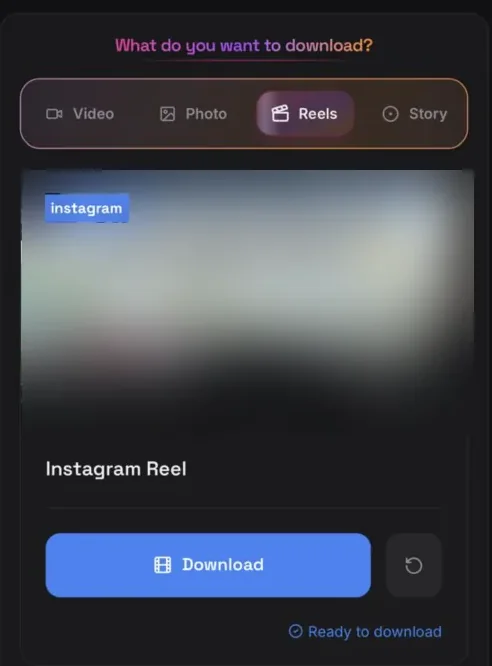
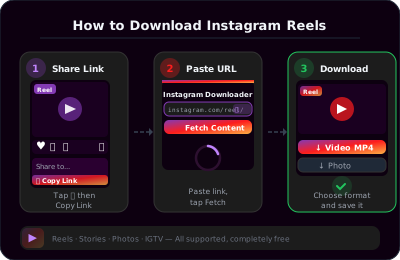
Instagram Reels have taken over the platform, but Instagram doesn't let you download them easily. ClipSave lets you save any public Reel as an MP4 file. Paste the Reel link (instagram.com/reel/... or instagr.am/reel/...), click Fetch, and download.
Reels are perfect for short-form content: tutorials, recipes, fitness tips, and trending audio. Saving them lets you watch offline, share with friends, or keep favorites without opening the app. Our Instagram Reels downloader works with all public Reels—no Instagram account needed on our side.
Video posts work the same way: paste the post URL and we fetch the MP4. Photos and carousels are supported too — see our [Instagram photo downloader](/free-instagram-photo-downloader), which lists every slide in a carousel with a Download all button.
Instagram's native save feature only works for your own content. For saving others' Reels or posts, you need a downloader. ClipSave handles both—paste any public video link and we'll give you the MP4.
Download Instagram Stories (Before They Disappear)
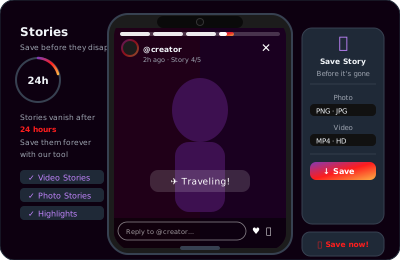
Instagram Stories disappear after 24 hours. If you want to keep one—yours or someone else's (with permission)—ClipSave can help. Paste the Story link and we'll fetch the video before it's gone.
Story links are trickier to get: you usually need to share a Story to a DM or use a story viewer. Once you have the link, our Instagram downloader handles the rest. Save Stories for memories, archiving, or reposting with credit.
Note: Stories from private accounts require you to follow them. We can only fetch content that's accessible via the link you provide.
Why Use an Instagram Video Downloader?
Instagram is great for discovery, but it's not designed for saving. Creators want to save their own Reels for backups or cross-posting. Fans want to keep favorite clips. Educators want offline access to tutorials. An Instagram downloader fills that gap.
ClipSave is fast and private. We don't store your downloads or track your activity. Videos are fetched on demand and streamed to you. No sign-up, no email, no app — paste, fetch, download.
Supported Instagram Content Types
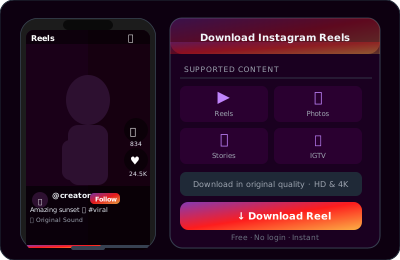
ClipSave supports Reels (instagram.com/reel/...), Reels via short link (instagr.am/reel/...), video posts (instagram.com/p/...), photo posts, carousels with several slides, Stories while they are still live, and Highlights.
Dedicated pages handle each job: [Reels](/free-instagram-reels-downloader), [Stories](/free-instagram-story-downloader), [photos](/free-instagram-photo-downloader) and [Highlights](/free-instagram-highlights-downloader). They all use the same fetch, so use whichever page matches what you are saving.
All URLs must point to public content. Private accounts and content that requires login won't work. For the best experience, use the most recent link format from Instagram.
Read our blog for guides on downloading Instagram Reels to your phone, saving Stories before they disappear, and a complete Instagram downloader walkthrough.
Which Instagram Link Do You Need?
Every download starts with the right address, and Instagram uses a different one for each kind of post.
A Reel is instagram.com/reel/ABC123. A feed post — video, photo or carousel — is instagram.com/p/ABC123. A Story link only exists while the Story is live, and you get it from the three-dot menu on a public account. Highlights sit on the profile permanently and give you a link per clip.
Copy from the app's share menu rather than the browser address bar where you can. Address-bar copies often carry tracking parameters, and a link that ends in a username rather than a post ID points at a profile, which has nothing to fetch.
Quality, Format and Why a Link Sometimes Fails
Instagram re-encodes everything it receives, so what you download is the file Instagram stored, not the creator's master. For recent uploads that is usually 1080p video or a compressed JPEG. Nothing is re-encoded on our side, so no further quality is lost.
Video arrives as MP4 with audio inside, photos as JPEG — both open anywhere without conversion.
When a fetch fails it is almost always access rather than a bug: the account is private, the post was deleted, the Story expired, or the content is age-restricted behind a sign-in. Instagram serves those files only to an authenticated session, and ClipSave never asks for your Instagram login.
Instagram Downloader — Frequently Asked Questions
- How do I download an Instagram Reel?
- Open the Reel, use Share → Copy link, paste the URL (instagram.com/reel/... or instagr.am/reel/...) into ClipSave, click Fetch, then Download the MP4.
- Can I download Instagram Stories?
- If you have a valid public Story link, paste it and Fetch. Stories expire after 24 hours, so save them before they disappear.
- Does this work for photos and carousels?
- Yes. Paste the post link and the photo downloads; for a carousel, ClipSave lists the slides it can resolve with a Download all button so you can save the whole set at once.
- Do I need to log in to Instagram on ClipSave?
- No. You only need the public link to the Reel, Story, or post with video. Private accounts and login-gated content will not work.
- What file format do I get?
- Downloads are MP4 for broad compatibility with phones, tablets, and computers.
- Is ClipSave free?
- Yes. Paste, fetch, and download without a ClipSave account.
- Why did my link fail?
- The post may be private, deleted, or the URL may be outdated. Copy the link again from the Instagram share menu.
Learn More
Explore our blog for guides, tips, and tutorials.
- Free Instagram Reels Downloader
- Free Instagram Story Downloader
- Free Instagram Photo Downloader
- Free Instagram Highlights Downloader
- How to Download Instagram Reels Without a Watermark (2026
Every Instagram downloader
Need one specific format? Each of these is tuned for a single kind of Instagram post.
Download from other platforms
Same fast, free downloader. No sign-up, no watermark.
- YouTube (Free YouTube Video Downloader)
- TikTok (Free TikTok Video Downloader)
- Twitter (Free Twitter Video Downloader)
- Facebook (Free Facebook Video Downloader)
- Dailymotion (Free Dailymotion Video Downloader)
- Vimeo (Free Vimeo Video Downloader)
- LinkedIn (Free LinkedIn Video Downloader)
- Telegram (Free Telegram Video Downloader)
- SoundCloud (Free SoundCloud Downloader)