Free Telegram Video Downloader
Download Telegram Videos
Paste a public channel or post link (t.me). We resolve the video when the source is accessible and policy allows.
Recent Downloads
No recent downloads yet
Telegram Video Downloader
Telegram hosts a huge amount of video: news channels, film clips, tutorials, sports highlights and creator posts, much of it in public channels anyone can open. Telegram itself lets you save media inside the app, but that copy lives in Telegram's own storage — not as a normal MP4 you can edit, back up or move to another device. ClipSave bridges that gap: paste a public t.me link, tap Fetch, and save the video as a standard file.
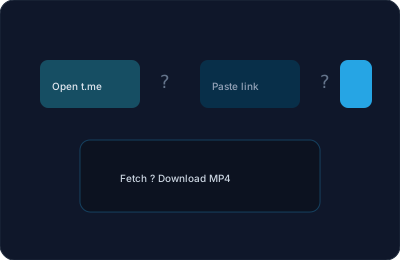
There is nothing to install, no browser extension, and no ClipSave account. The page runs in your browser on any phone, tablet or desktop. Paste the link, wait for the preview, then choose Download.
Only save what you have the right to save. Telegram channels frequently repost material belonging to other people, and a public channel is not a licence.
How to Download a Telegram Video
Step 1 — Open the post. Find the message containing the video in a public channel or group, either in the Telegram app or at t.me in a browser.
Step 2 — Copy the link. In the app, tap the message, choose Copy Link, and you will get an address like https://t.me/channel_name/123. On the web, copy the address bar.
Step 3 — Paste and Fetch. Paste that link into the box at the top of this page and press Fetch. ClipSave asks our backend to resolve the media behind that post.
Step 4 — Check the preview, then Download. The preview confirms you have the right clip before anything is saved to your device.

Which Telegram Links Work
Public message links work: https://t.me/channel_name/123 and the older https://telegram.me/... form both resolve when the channel is public and the message still exists.
These do not work, and no downloader can change that: private groups you were invited to, saved messages, one-to-one chats, and channels that require joining before content is visible. Those posts are not reachable without your account credentials, and ClipSave never asks for them.
Links with a ?single suffix or a comment thread ID usually still resolve, because the message ID is what matters.
Format, Quality and Devices
Downloads come back as MP4 wherever the source allows it, which is the format phones, tablets, TVs and every major editor open without extra codecs.
Quality follows the upload. Telegram compresses video that was sent as a "video message" but keeps files sent as documents intact, so a channel that posts high-bitrate files gives you a high-bitrate download. Where several renditions are exposed, ClipSave lists them so you can pick between a smaller file and the sharpest copy.
The flow is identical on iPhone, Android and desktop — same page, same three steps, no app.
If a Link Will Not Fetch
The usual causes, in order of how often they occur: the channel is private or has been made private since the link was shared; the message was deleted; the post contains a photo or a forwarded file rather than a video; or Telegram is restricting access to that channel from our servers' region.
Check the link first by opening it in a normal browser tab while logged out. If Telegram itself shows you nothing there, ClipSave cannot reach it either.
ClipSave is free and needs no sign-up. It is an independent tool and is not affiliated with Telegram.
Telegram Downloader — Frequently Asked Questions
- How do I download a Telegram video?
- Copy a public t.me or telegram.me link to a post or message that contains video, paste it into ClipSave, click Fetch, then Download when our backend can resolve the media.
- Do private chats work?
- No. ClipSave works with public links our service can resolve — not private conversations you cannot link to.
- What format is the file?
- Output is usually MP4 for compatibility with phones and desktops.
- Why might a t.me link fail?
- The channel may be private, the message deleted, or Telegram may block access from our servers.
- Is ClipSave affiliated with Telegram?
- No. We are an independent tool; follow Telegram’s terms of service when saving content.
- Do I need the Telegram app for ClipSave?
- You need a shareable link. You can copy it from Telegram or any browser where the link opens.
- Is downloading free?
- Yes. No ClipSave sign-up is required for the basic downloader flow.
Learn More
Explore our blog for guides, tips, and tutorials.
View all blog posts →More free tools
Subtitles, thumbnails, short links and quick edits. Free, in the browser, no sign-up.
Video downloaders
Same fast, free downloader. No sign-up, no watermark.
- YouTube (Free YouTube Video Downloader)
- Instagram (Free Instagram Video Downloader)
- TikTok (Free TikTok Video Downloader)
- Twitter (Free Twitter Video Downloader)
- Facebook (Free Facebook Video Downloader)
- Dailymotion (Free Dailymotion Video Downloader)
- Vimeo (Free Vimeo Video Downloader)
- LinkedIn (Free LinkedIn Video Downloader)
- SoundCloud (Free SoundCloud Downloader)