Free LinkedIn Video Downloader
Download Any LinkedIn Video for Free in HD
Paste any LinkedIn post URL to download the video instantly in high quality. No login required, no watermark, no software installation needed.
Recent Downloads
No recent downloads yet
Why Download LinkedIn Videos?
LinkedIn doesn't have a built-in download button for video posts. If you've ever tried to save a webinar, a product demo, or an industry talk — you already know the frustration. You can't just right-click and save. If you also download videos from other platforms, check out our [Dailymotion Video Downloader](/free-dailymotion-video-downloader) for fast and free Dailymotion video downloads as well.
That's exactly why tools like ClipSave exist. Paste the post URL, click download, and the video is on your device in seconds — no extensions, no software, no account needed.
Common Use Cases
Offline Viewing: Save industry talks, webinars, or educational content and watch them later — during a commute, a flight, or anywhere without a reliable internet connection.
Archive Your Own Content: Published a video on LinkedIn but lost the original file? ClipSave lets you recover it directly from the post and store it locally as a backup.
Repurpose Content: Turn a LinkedIn video into a clip for other platforms — Instagram Reels, YouTube Shorts, or [TikTok downloader](/free-tiktok-video-downloader) it first, then edit and republish elsewhere.
Training & Presentations: Need a product demo or customer testimonial in your slide deck? Download it once and your presentation works without depending on a live internet connection.
Research & Analysis: Marketers and sales teams regularly track competitor and industry videos. Saving them locally makes it easier to review, annotate, and share insights with your team.
How to Download a LinkedIn Video
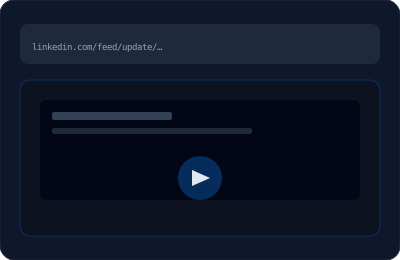
Step 1 — Copy the Post URL: Open the LinkedIn post containing the video. Click the three dots (•••) on the top right corner of the post and select "Copy link to post."
Step 2 — Paste the URL: Paste the copied link into the input field above and click Download.
Step 3 — Save to Your Device: Your video is ready in seconds — saved directly to your device in HD quality, no watermark, no extra steps.
Supported Format & Quality
ClipSave downloads LinkedIn videos in MP4 format — the most widely supported video format across all devices and editing software.
Quality depends on the original upload. If the video was uploaded in 1080p, you get 1080p. If it was 720p, the download matches that. No re-encoding, no quality loss on our end.
The downloaded file works in every major media player — VLC, QuickTime, Windows Media Player — and can be imported into any video editor including Premiere Pro, Final Cut, CapCut, and DaVinci Resolve.

Why Use ClipSave?
Free, Always: No subscription, no hidden fees, no credit card required. Use it as many times as you need.
No Login Required: No account, no signup form. Just paste the URL and download.
Works on Every Device: Desktop, laptop, Android, iPhone, tablet — [ClipSave](/) runs entirely in your browser. No app to install, no software to update.
Fast & Reliable: Most videos are ready to download in under 10 seconds.
Your Data Stays Private: ClipSave does not store your URLs or downloaded videos. Everything happens in real time — nothing is saved on our servers.
Safe & Legal Usage
Only download videos you have permission to save. Respect the original creator's rights and LinkedIn's community guidelines. [ClipSave](/) does not store your URLs or downloaded videos — everything stays on your device. For personal use, research, and archiving — you're good to go.
LinkedIn Downloader — Frequently Asked Questions
- Is ClipSave LinkedIn Video Downloader free?
- Yes, completely free. No subscription, no hidden fees, no credit card required. Paste a link and download — no account and no credit card.
- Do I need to login to download LinkedIn videos?
- No. ClipSave doesn't require any account or signup. Just paste the LinkedIn post URL and click download — that's it.
- Can I download private LinkedIn videos?
- No. ClipSave only works with public LinkedIn posts. Videos from private profiles or connection-restricted posts cannot be downloaded through this tool.
- What video quality will I get?
- You get the same quality as the original upload. If the video was uploaded in 1080p, you download in 1080p. No re-encoding, no quality loss.
- Does it work on mobile?
- Yes. ClipSave works on all devices — Android, iPhone, tablet, desktop. Open the page in your browser, paste the URL, and download. No app needed.
- Is it legal to download LinkedIn videos?
- Downloading for personal use, research, or archiving is generally acceptable. However, you must respect copyright laws and LinkedIn's Terms of Service. Never redistribute or use someone else's content commercially without permission.
- Why isn't my video downloading?
- Most common reasons: the post is private, the URL is incorrect, or the post doesn't contain a native LinkedIn video. Make sure you're using the full post URL and the video is publicly visible.
Learn More
Explore our blog for guides, tips, and tutorials.
View all blog posts →More free tools
Subtitles, thumbnails, short links and quick edits. Free, in the browser, no sign-up.
Video downloaders
Same fast, free downloader. No sign-up, no watermark.
- YouTube (Free YouTube Video Downloader)
- Instagram (Free Instagram Video Downloader)
- TikTok (Free TikTok Video Downloader)
- Twitter (Free Twitter Video Downloader)
- Facebook (Free Facebook Video Downloader)
- Dailymotion (Free Dailymotion Video Downloader)
- Vimeo (Free Vimeo Video Downloader)
- Telegram (Free Telegram Video Downloader)
- SoundCloud (Free SoundCloud Downloader)