How to Repost Your TikToks to Instagram Reels and YouTube Shorts
Repost your TikToks to Instagram Reels and YouTube Shorts without the watermark: get a clean copy, upload it from your iPhone or computer, and keep your reach.
To repost your TikTok to Instagram Reels or YouTube Shorts, upload a clean copy of the video, not the one TikTok's Save video button gives you. That saved copy carries the TikTok logo and your username, and Instagram says Reels with visible watermarks aren't eligible to be recommended to new viewers. Copy your TikTok's link, paste it into the ClipSaves TikTok Downloader Without Watermark, download the MP4, then upload that file to Reels and Shorts.
Key takeaways
- Instagram lists "no visible watermarks" as a requirement for a Reel to be recommended to non-followers (Instagram for Creators, April 30, 2024).
- YouTube Shorts are vertical videos up to 3 minutes long (YouTube Help), so most TikToks fit without editing.
- Cropping or blurring the watermark damages the video; downloading the original file avoids the watermark in the first place.
- Repost only videos you made or have permission to use. Sounds licensed inside TikTok aren't automatically licensed on other platforms.
Why does reposting a TikTok with the watermark hurt your reach?
Because Instagram treats a visible watermark as a sign of recycled content. On its creators page about recommendations, Instagram lists content that is original and "has no visible watermarks" among the requirements for being recommended in places like the Reels tab and Explore. Your followers can still see a watermarked Reel, but you lose the non-follower reach that makes Reels worth posting.
Instagram also says that when it finds identical copies of a video on Instagram, it recommends only the original. That matters if someone else reposts your work: posting your own video on Instagram yourself, and early, helps make sure your copy is the one treated as the original.
YouTube's rules are about monetization rather than reach. In July 2025 YouTube renamed its "repetitious content" policy to "inauthentic content" for the YouTube Partner Program and said its reused content policy did not change (YouTube channel monetization policies). Posting your own TikToks as Shorts is your own original content; a visible watermark simply makes it look borrowed and distracts viewers.
What is a TikTok watermark?
A TikTok watermark is the TikTok logo plus the creator's @username that TikTok draws into the video when you save or share it out of the app. It's burned into the pixels and moves between corners, so you can't switch it off afterwards, and cropping it out cuts into your picture.
How to download your TikTok without the watermark
You need the video's link and about 30 seconds.
- Copy the link. In the TikTok app, open your video, tap Share, then Copy link. On a computer, open the video on tiktok.com and copy the address from the browser bar or the share menu.
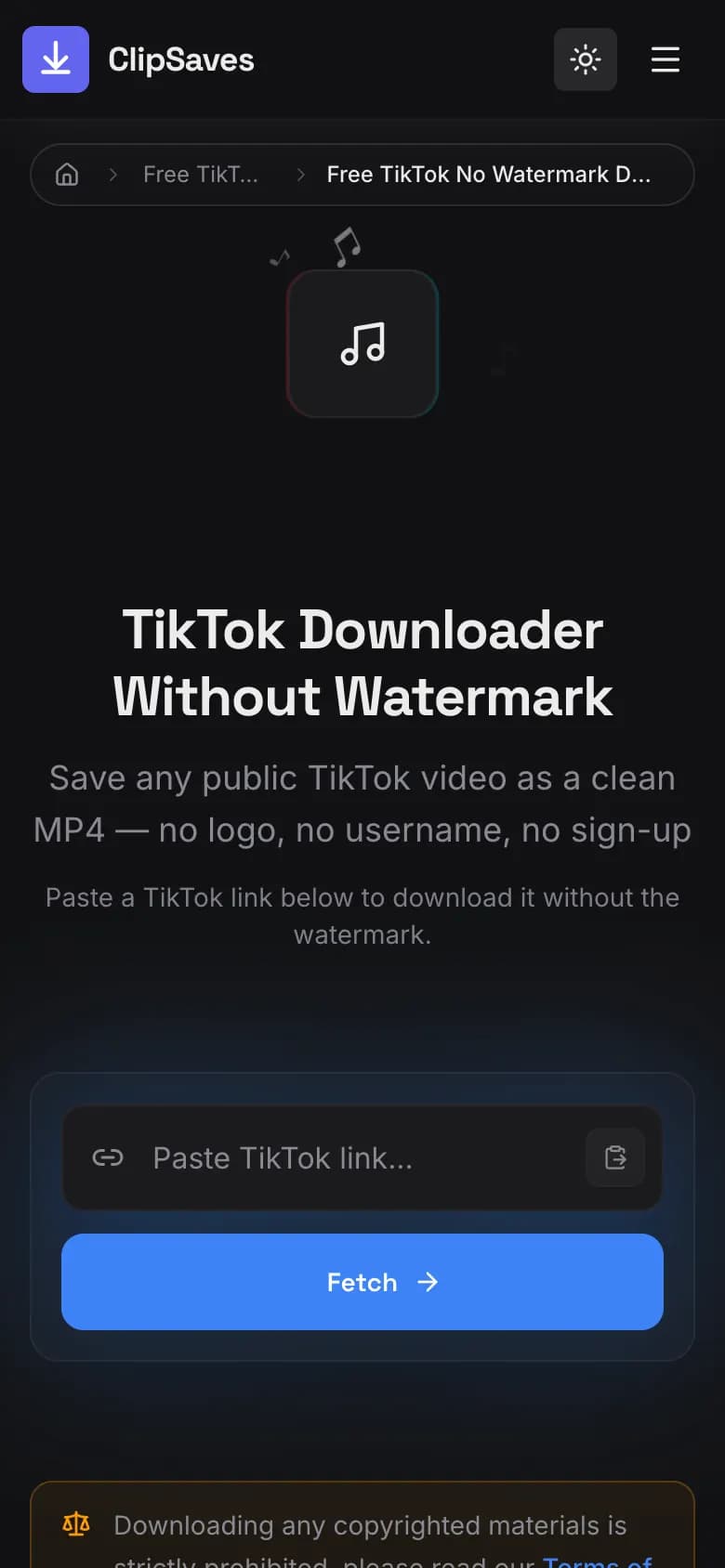
- Open the tool. Go to the TikTok Downloader Without Watermark in Safari, Chrome or any browser. There's no app to install and no sign-up.
- Paste and fetch. Paste the link into the box and tap Fetch. A preview of the video loads.
- Download. Tap Download. ClipSaves asks TikTok for the version without the watermark first and saves the best-quality file available.
- Check the preview. On the rare video where TikTok only offers the branded file, ClipSaves falls back to that one. Watch the first few seconds before you repost.
If you plan to repost a batch of videos, note that after every three fetches the tool shows a quick math question to keep bots out. There's no daily limit.
How to repost a TikTok to Instagram Reels on iPhone
Most US creators post from an iPhone, so start there.
- After you tap Download in Safari, the video goes to the Downloads folder in the Files app. Apple's guide shows where: open Files, tap Browse, then iCloud Drive › Downloads (Apple Support). Safari also shows a Downloads button next to the address field.
- Open the video in Files, tap the Share button and choose Save Video. It now sits in your Photos camera roll, where Instagram can see it.
- In Instagram, tap +, choose Reel, and pick the video from your camera roll.
- Write a fresh caption for Instagram (hashtags and wording that work on TikTok don't always fit), choose a cover, and tap Share.
On Android, the download usually lands in the Download folder and shows up in your gallery app straight away. Pick it from Instagram's Reel picker the same way.
Instagram announced in January 2025 that Reels can run up to three minutes, so a typical TikTok fits. If yours is longer, trim it first; the free ClipSaves video editor can cut a clip in your browser.
How to repost a TikTok to YouTube Shorts
On a phone: open the YouTube app, tap +, choose to upload a Short, and select the downloaded video from your camera roll or gallery. Add a title, then upload.
On a computer: sign in to YouTube Studio, click Create in the top-right corner, then Upload videos, and select the file (YouTube Help). Fill in the details, checks and visibility, then publish.
YouTube describes Shorts as vertical videos up to 3 minutes long. A standard TikTok is already vertical, so you don't need to resize it or add black bars.
TikTok, Reels and Shorts at a glance
| TikTok | Instagram Reels | YouTube Shorts | |
|---|---|---|---|
| Orientation | Vertical | Vertical | Vertical (YouTube calls Shorts "vertical videos") |
| Max length to repost | – | Up to 3 minutes (announced Jan 2025) | Up to 3 minutes |
| What hurts reach or earnings | – | Visible watermarks, identical copies of others' videos | Reused or mass-produced content (monetization) |
| Where your clean copy comes from | ClipSaves no-watermark download | Upload the clean copy | Upload the clean copy |
What can go wrong (and how to fix it)
"The download still has the watermark." TikTok didn't offer an unbranded file for that video, so ClipSaves saved the branded one. Try fetching the link again later. If it stays branded, re-export the video from your original edit (CapCut, your camera roll or your editing app), which never had the watermark.
"The link won't fetch." The video must be public. Private and friends-only videos can't be downloaded by any tool. Our guide to why a TikTok won't download covers the other causes.
"The sound is muted or claimed on YouTube." Music that's licensed inside TikTok isn't automatically licensed on Instagram or YouTube. Instagram may mute the audio, and YouTube's Content ID can match copyrighted music. For reposts, use your own audio or original sound, or add a track from the destination app's own music library.
"My Duet or Stitch shows someone else." Duets and Stitches download as the finished combined video, including the other creator's part. Ask them before you repost it elsewhere.
Is it OK to repost TikToks to other platforms?
Yes, if the video is yours. You own your original content and can post it wherever you like. Reposting someone else's TikTok is different: you need their permission, and even with a credit line, Instagram treats repeated reposts of other people's videos as aggregator behavior that loses recommendations. Our guide to whether downloading social media videos is legal explains fair use and the DMCA in plain English.
Summary
Download a clean copy of your own TikTok with the ClipSaves no-watermark downloader, move it to your camera roll, and upload it to Reels and Shorts with a fresh caption and your own audio. Instagram's recommendation rules reward watermark-free originals, and the Shorts format already matches TikTok's vertical video. For more on how watermark-free downloads work, read TikTok downloader without watermark, explained.
Frequently Asked Questions
Published by
ClipSaves
The ClipSaves team builds and tests free video download tools for YouTube, TikTok, Instagram, Facebook and X, and writes step-by-step guides from hands-on testing.
Ready to download?
Try the Free TikTok No Watermark Downloader. Free, fast, no sign-up.
Open the Free TikTok No Watermark Downloader