Instagram Reels Downloader
Download Instagram Reels, Stories & Posts
Paste any Instagram link below. Save Reels and posts as MP4 — free, no sign-up.
What do you want to download?
Downloading any copyrighted materials is strictly prohibited, please read our Terms of Service.
Recent Downloads
No recent downloads yet
Free Instagram Reels Downloader
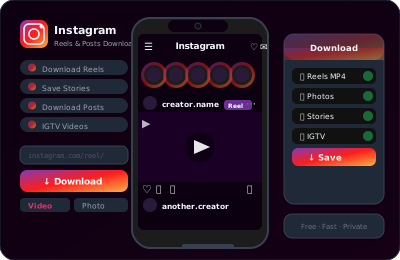
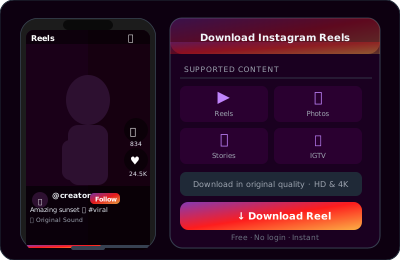
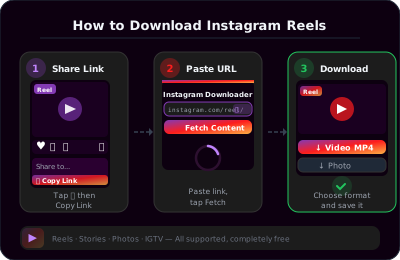
Instagram Reels have taken over the platform, but Instagram doesn't let you download them easily. ClipSave lets you save any public Reel as an MP4 file. Paste the Reel link (instagram.com/reel/... or instagr.am/reel/...), click Fetch, and download.
Reels are perfect for short-form content: tutorials, recipes, fitness tips, and trending audio. Saving them lets you watch offline, share with friends, or keep favorites without opening the app. Our Instagram Reels downloader works with all public Reels—no Instagram account needed on our side.
We also support Instagram posts with videos (photos aren't supported). If a post contains a video, paste the post URL and we'll fetch it.
Instagram's native save feature only works for your own content. For saving others' Reels or posts, you need a downloader. ClipSave handles both—paste any public video link and we'll give you the MP4.
Download Instagram Stories (Before They Disappear)
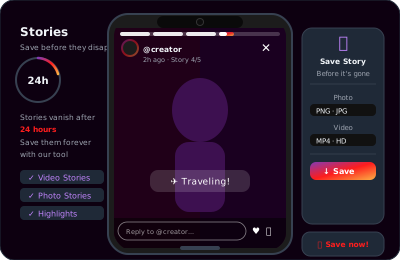
Instagram Stories disappear after 24 hours. If you want to keep one—yours or someone else's (with permission)—ClipSave can help. Paste the Story link and we'll fetch the video before it's gone.
Story links are trickier to get: you usually need to share a Story to a DM or use a story viewer. Once you have the link, our Instagram downloader handles the rest. Save Stories for memories, archiving, or reposting with credit.
Note: Stories from private accounts require you to follow them. We can only fetch content that's accessible via the link you provide.
Why Use an Instagram Video Downloader?
Instagram is great for discovery, but it's not designed for saving. Creators want to save their own Reels for backups or cross-posting. Fans want to keep favorite clips. Educators want offline access to tutorials. An Instagram downloader fills that gap.
ClipSave is fast and private. We don't store your downloads or track your activity. Videos are fetched on-demand and streamed to you. No sign-up, no limits, no hassle. Just paste, fetch, and download.
Supported Instagram Content Types
ClipSave supports: Reels (instagram.com/reel/...), Reels via short link (instagr.am/reel/...), video posts (instagram.com/p/...), and Stories when you have a valid link. We do not support photo-only posts or carousels with multiple images.
All URLs must point to public content. Private accounts and content that requires login won't work. For the best experience, use the most recent link format from Instagram.
Read our blog for guides on downloading Instagram Reels to your phone, saving Stories before they disappear, and a complete Instagram downloader walkthrough.
Learn More
Explore our blog for guides, tips, and tutorials.
- Instagram Reels Downloader
- Instagram Story Saver
- Instagram Photo Downloader
- Instagram Video Downloader
- Instagram Highlights Downloader
- How to Download Instagram Reels Without a Watermark (2026