Facebook Video Downloader
Download Facebook Video
Download Facebook videos in MP4 format and choose the quality that suits you
Downloading any copyrighted materials is strictly prohibited, please read our Terms of Service.
Recent Downloads
No recent downloads yet
How to Download Facebook Videos and Reels Easily
Downloading Facebook videos and Reels has never been easier than with ClipSave.net. Just copy the URL of the video you want to download, paste it into the input field on ClipSave.net, and click the download button. You'll be redirected to a page where you can select your preferred quality. In just a few clicks, your video will be ready for offline viewing or any other purpose. Enjoy the convenience of accessing your favorite videos anytime, anywhere, with no limits.
Why Choose ClipSave.net for Facebook Video Downloads?
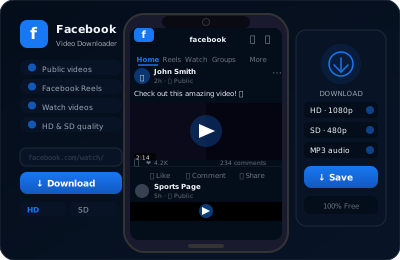
ClipSave.net is a free, reliable Facebook video downloader for public videos, Reels, and Facebook Watch. Paste a link and get MP4 downloads in SD/HD/FHD—no sign-up and no software required.
Need to save private or group-only videos? Install our lightweight browser extension for Chrome, Edge, or Firefox to add a Download button directly on Facebook and save videos instantly.
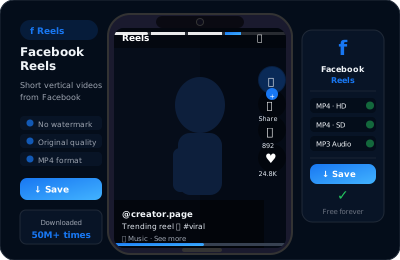
How to Download Facebook Videos & Reels (Fast & Free)
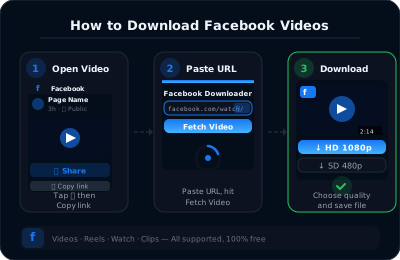
Step 1: Copy the Facebook link Open the video or Reel on Facebook and tap Copy link (or copy the URL from your browser's address bar, including Facebook Watch and public groups).
Step 2: Paste the link into ClipSave.net Paste the URL into the field above and press Download. We'll fetch the available MP4 qualities automatically.
Step 3: Choose quality and save Select SD, HD, or FHD and download the MP4 to your phone or computer. For private/profile or group-only videos, use our browser extension.
Features of Downloading Facebook Videos with ClipSave
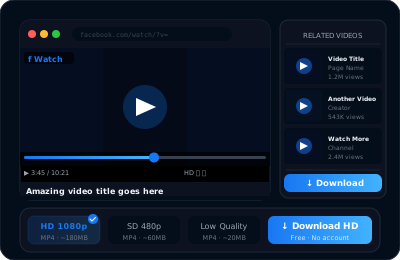
User-friendly interface for quick video downloads. Download high-quality videos in different resolutions. Supports downloading Facebook Reels videos. Designed for fast download speeds. No registration needed to download videos. Works on all devices and operating systems. Always free to use with absolutely no costs. Available in multiple languages for users worldwide.
Download our browser extension to your computer
Our Facebook Video Downloader browser extension is the only way to download private Facebook videos and Reels directly from your browser—making downloading videos from private groups or your own account incredibly simple and efficient. Forget about complicated external websites or cumbersome tools. With our extension, a convenient download button is always at your fingertips right on Facebook, so you can save videos instantly with ease.
Fully compatible with Google Chrome, Microsoft Edge, Mozilla Firefox, and all other Chromium-based browsers like Brave and Opera, our extension is accessible to everyone. Installation is a breeze—just grab it from the Google Chrome Web Store (most Chromium-based browsers fully support Chrome extensions). Start effortlessly saving your favorite Facebook videos and Reels today!
Learn More
Explore our blog for guides, tips, and tutorials.
View all blog posts →How to Download Facebook Videos & Reels (Fast & Free)
Copy the Facebook link
Open the video or Reel on Facebook and tap Copy link (or copy the URL from your browser's address bar, including Facebook Watch and public groups).
Paste the link into ClipSave.net
Paste the URL into the field above and press Download. We'll fetch the available MP4 qualities automatically.
Choose quality and save
Select SD, HD, or FHD and download the MP4 to your phone or computer. For private or group-only videos, use our browser extension.
Features of Downloading Facebook Videos with ClipSave
Download our browser extension
Our Facebook Video Downloader browser extension is the only way to download private Facebook videos and Reels directly from your browser—making it incredibly simple and efficient. With our extension, a convenient download button is always at your fingertips right on Facebook.
Fully compatible with Google Chrome, Microsoft Edge, Mozilla Firefox, and all other Chromium-based browsers like Brave and Opera. Just grab it from the Chrome Web Store and start effortlessly saving your favorite Facebook videos and Reels today!
Compatible with
Changelog
- Preparing an update that improves video detection and fixes existing bugs on both the extension and the website.
- Will be released in the coming days.
- Version 1.4.0 of our browser extension is now live for Chrome, Firefox, Edge, and any Chromium-based browser.
- The Edge add-on is now available on Microsoft Edge.
- Performance improvements, bug fixes, and new languages.
- Website UI update and user experience improvements.
- Introduced load balancing across multiple servers to improve responsiveness during peak demand.
- UI/UX fixes: cleaned up layouts, refined button states, and polished error messages.
- Version 1.3.0 of our browser extension is now live for Chrome, Firefox, and Edge.
- General bug fixes and an improved Facebook video download experience.
- Fixed an issue that prevented the extension from retrieving video download links.
- Fixed an issue that prevented the download button from appearing on some videos.
- Version 1.2.2 extension fully released on all supported browsers.
- Improved functionality and overall stability.
- Resolved an issue that was preventing our website from downloading public Facebook videos.
- Browser extension updated to version 1.2.1 for Chrome, Firefox, and Edge.
- Added support for multiple languages in our browser extension.
- Improved browser extension's performance to use fewer resources.