YouTube Video Downloader
Download YouTube Videos, Shorts & Thumbnails
Paste a YouTube link, click Fetch, and download MP4 or grab the thumbnail — free, no sign-up required.
Downloading any copyrighted materials is strictly prohibited, please read our Terms of Service.
Recent Downloads
No recent downloads yet
Free Online YouTube Video Downloader
Looking for a fast and free online YouTube video downloader? ClipSave makes it effortless to save any YouTube video directly in your browser — no software, no sign-up, no hassle. Whether you want to download YouTube videos for offline study, travel, or personal use, ClipSave delivers a smooth and reliable experience every time.
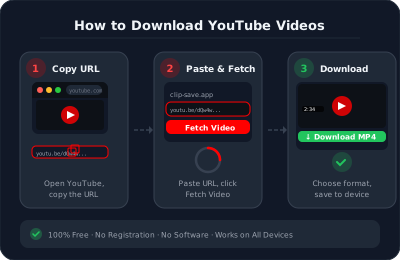
Simply paste any YouTube link into the box above, click Fetch, and choose your preferred quality. Your file will be ready to save in seconds. It's the easiest YouTube video downloader online — built for everyone, from beginners to power users.
ClipSave works with all standard YouTube URLs including regular videos, Shorts, short links, and embedded links. No technical knowledge needed — just paste, fetch, and download. Millions of users worldwide rely on ClipSave every day for fast, free, and reliable online YouTube video download.
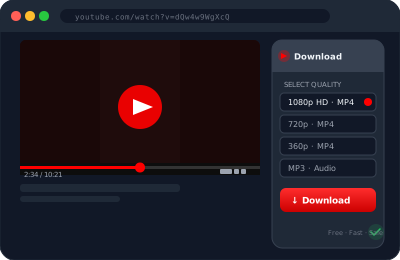
Download YouTube Videos in HD and 4K Quality
ClipSave supports multiple quality options so you always get the best viewing experience. Want crisp visuals on a big screen? Use our download video YouTube HD option and enjoy sharp, clear playback. For professional use or premium content, our 4K video downloader YouTube feature lets you save ultra-high-resolution videos without losing any detail.
Whether you pick 360p for quick downloads or 1080p/4K for the best quality, ClipSave gives you full control. Every download is fast, clean, and ready to play on any device.
Quality options are clearly displayed after you click Fetch — simply pick what suits you best. SD formats are perfect for saving storage space, while HD and 4K options are ideal when picture quality matters most. ClipSave is one of the few free tools that offers a true YouTube video downloader 4K free experience with no paywalls.
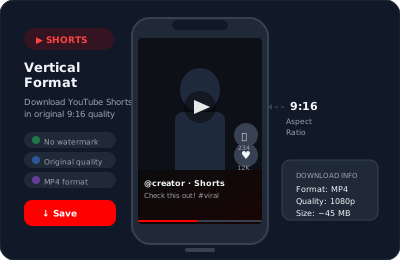
Download YouTube Videos as MP4 on Any Device
The most popular format for video downloads is MP4 — and ClipSave fully supports it. When you download video YouTube MP4, you get a file that plays on Windows, Mac, iPhone, Android, Smart TVs, and more. No conversion needed, no compatibility issues.
Looking for a YouTube video download MP4 option that just works? ClipSave handles it automatically. Just fetch your video, select MP4, and download. Simple as that.
MP4 is universally supported across all platforms and media players. Whether you're saving a tutorial to watch later, archiving your own content, or keeping a favorite video for offline viewing, downloading in MP4 format ensures smooth playback every time — on any screen, any device, anywhere.
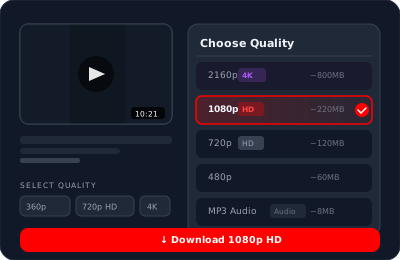
Download YouTube Shorts in High Quality
Short-form content is everywhere, and ClipSave makes YouTube short video download fast and simple. Whether it's a trending clip, a funny moment, or a quick how-to, you can save any public YouTube Short in high quality with just one paste.
Shorts URLs (youtube.com/shorts/VIDEO_ID) are fully supported. Just paste the link, click Fetch, and your Short is downloaded — no account needed, no limits. Perfect for users who enjoy quick content on the go.
Even short videos are downloaded in full resolution — no quality loss, no watermarks. ClipSave detects Shorts automatically, so you don't need to do anything differently. Whether you want to save trending content or keep your favorite clips offline, ClipSave is the most reliable online YouTube video download tool for Shorts.
Why ClipSave is the Best Free YouTube Video Downloader
ClipSave is 100% free with no hidden charges, no premium plans, no daily limits, and no login required. Millions of users trust ClipSave because it combines speed, privacy, and simplicity in one tool — making it the best YouTube video downloader available online today.
ClipSave fetches video info in under 5 seconds and downloads start instantly, so you never have to wait. Your privacy is always protected — we don't store your files or track your downloads. Everything streams directly to your device. No subscriptions, no limits — our YouTube video downloader 4K free feature is available to everyone, always.
Works perfectly as a YouTube video downloader for Android too — just open your mobile browser, paste the link, and download without installing any app. Compatible with Chrome, Safari, Firefox, and Edge on both desktop and mobile. And if you only need audio, ClipSave also lets you download YouTube videos MP3 format quickly and in high quality — perfect for music, podcasts, and lectures. Just paste, fetch, and download. Done.
Learn More
Explore our blog for guides, tips, and tutorials.
- Convert YouTube to MP3 Free & Safe in 2026 | ClipSave
- Best Free Video Downloaders 2026: YouTube, TikTok, Instagram & More