無料・無制限ダウンロード
動画をダウンロード
どこからでも
任意のプラットフォームのリンクを貼り付け。数秒で動画を取得 — 登録不要。
貼り付けてダウンロード
home.intro.title
home.intro.para1
home.intro.para2
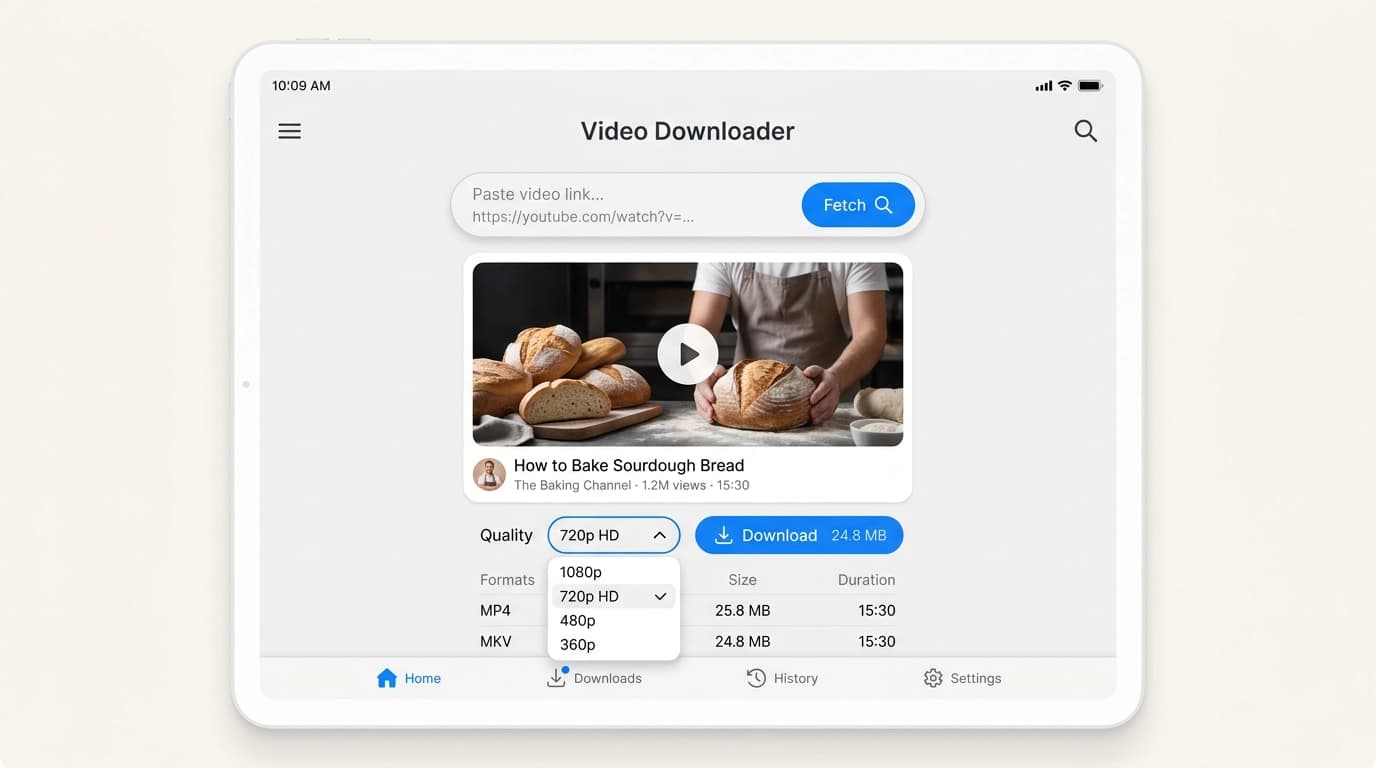
使い方
動画をダウンロードする3つの簡単なステップ
1
ステップ1: 動画リンクをコピー
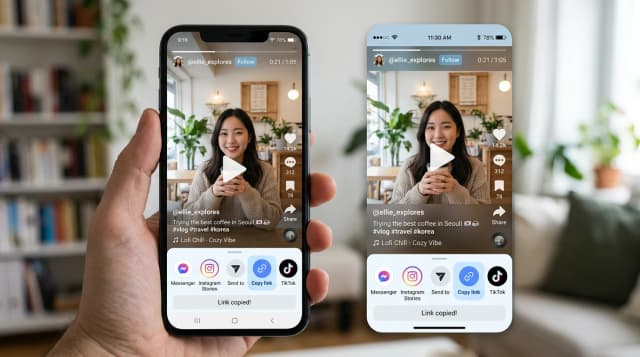
YouTube、Instagram、TikTok、Facebook、Twitter、Dailymotion、Vimeoで動画またはReelを開き、「リンクをコピー」をタップ(またはブラウザのアドレスバーからURLをコピー)してください。
2
ステップ2: ClipSaveにリンクを貼り付け
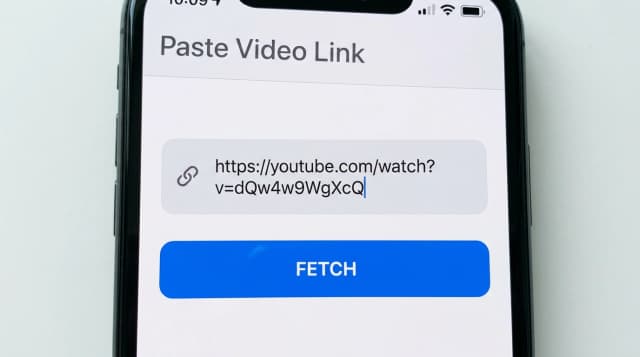
URLを上のフィールドに貼り付けて「取得」を押してください。利用可能なMP4画質を自動で取得します。
3
ステップ3: 画質を選んで保存
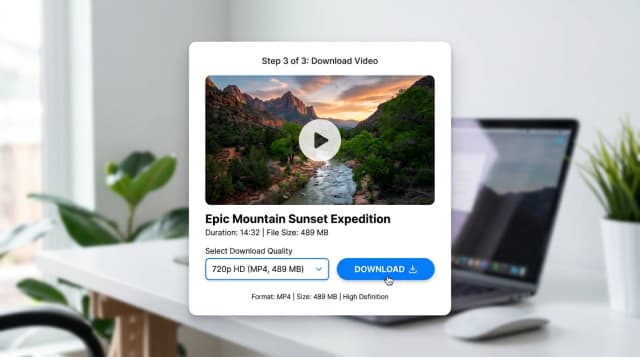
SD、HD、FHDを選択して、MP4をスマホやPCにダウンロードできます。非公開やグループ限定の動画はブラウザ拡張機能をご利用ください。
home.featuresSection.title
home.featuresSection.subtitle
home.featuresSection.fast.title
home.featuresSection.fast.desc
home.featuresSection.safe.title
home.featuresSection.safe.desc
home.featuresSection.unlimited.title
home.featuresSection.unlimited.desc
home.featuresSection.multiDevice.title
home.featuresSection.multiDevice.desc
home.featuresSection.noSignup.title
home.featuresSection.noSignup.desc
home.featuresSection.quality.title
home.featuresSection.quality.desc
home.platforms.title
home.platforms.subtitle
超高速
数秒でダウンロード、待ち時間なし
安全・プライベート
データ保存なし、トラッキングなし
無制限
1日の制限や制約なし
home.faq.title
home.faq.subtitle
home.internalLinks.title
home.internalLinks.subtitle
home.internalLinks.platformsTitle
- YouTube home.internalLinks.downloader
- Instagram home.internalLinks.downloader
- TikTok home.internalLinks.downloader
- Twitter home.internalLinks.downloader
- Facebook home.internalLinks.downloader
- Dailymotion home.internalLinks.downloader
- Vimeo home.internalLinks.downloader
- LinkedIn home.internalLinks.downloader
- Telegram home.internalLinks.downloader
home.internalLinks.infoTitle
home.internalLinks.toolsTitle
Recent Downloads
No recent downloads yet